Recruiting & Talent
Watch the candidate debug the project in the room
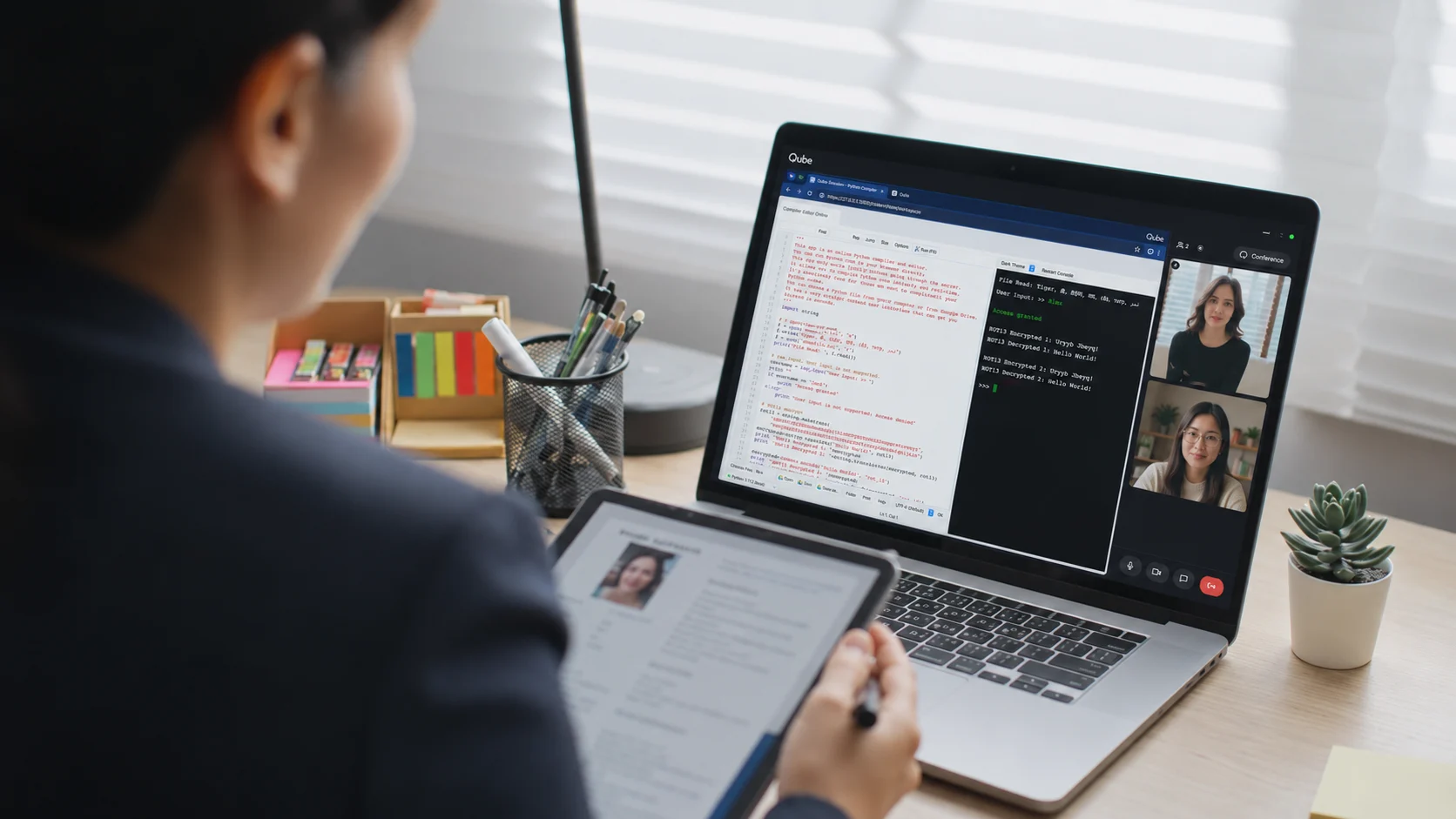
Give a candidate the project, dependencies and terminal inside the meeting. They can run the code while the interviewer watches the shared workspace. Tell the candidate which tools are allowed and whether the host requires a side camera.
Join in the latest Google Chrome or Microsoft Edge on Windows 10 or later, or macOS 13 Ventura or later.
What to try in the roomWhat Qube changes
A video call shows the candidate. Qube secures the computer doing the work.
When the exercise runs on a candidate-owned device, the interview shares that device with local AI, transcription, overlays, virtual displays, and software the hiring team cannot reliably observe.
The working environment is outside the interview
Repositories, terminals, browser research, and AI tools run locally while the interviewer receives only a screen share and a conversation.
Proctoring signals can become a verdict
Focus changes or pauses may be meaningful, accidental, accessibility-related, or harmless. Without the work and conversation beside them, isolated flags invite weak conclusions.
The final answer hides the process
A polished solution does not show how the candidate formed a hypothesis, tested it, recovered from failure, or used approved assistance.
How Qube works
Keep the meeting and the work inside the same security boundary
Define the role and assistance policy
Prepare a bounded repository, realistic task, sample data, permitted documentation, and a clear statement about whether AI assistance is allowed.
Work together inside Qube
The IDE, terminal, browser, files, and approved tools run inside the cloud room. Interviewers can ask the candidate to investigate, revise, and explain using the same visible working state.
Review evidence with human judgment
Connect the authorized recording, transcript, workspace activity, and security events to the rubric. Human reviewers see the full session and make the hiring decision.
What Qube protects
Protect the meeting and everything your team opens inside it
Execution moves off the candidate device
Source files, terminal state, browser activity, and approved agents stay inside Qube’s isolated cloud workspace.
The delivered interview is capture-resistant
Protected streaming on supported clients reduces ordinary local software access to the meeting and workspace pixels.
The room enforces the interview context
Qube covers or pauses protected content when the participant leaves the required context and records the event for later review.
Evidence stays attached to the work
With recording enabled, authorized reviewers can revisit a code change and the candidate’s explanation alongside it.
Compared with meeting apps
What can a guest see and do from their browser?
For a live exercise, check whether the candidate can see and operate the project from a browser. In Qube the interviewer can hand over the terminal without asking the candidate to install a desktop agent or share their personal screen.
Qube
- Screen capture prevention
Qube delivers the meeting and shared workspace through a protected streaming path designed to block ordinary software capture on supported clients.
- Local AI / app isolation
Files, applications, and working state stay inside Qube’s cloud workspace, outside the participant’s local desktop and local AI tools.
- Context enforcement
Qube monitors fullscreen and focus, covers or pauses protected content when the participant leaves the session, and records the event for review.
Zoom
- End-to-end meeting encryption
- Included
- Zoom offers end-to-end encryption for meeting media.
- Guest setup and browser access
- Limited
- A Zoom web guest receives audio only when Prevent screen capture is enabled. The protected visuals require a supported app.
Microsoft Teams
- End-to-end meeting encryption
- Included
- Teams offers end-to-end encryption for meeting media.
- Guest setup and browser access
- Limited
- When Prevent screen captures is enabled, guests on the web and Mac desktop clients join audio-only. Windows desktop attendees can see the protected meeting.
Google Meet
- End-to-end meeting encryption
- Included
- Google Meet offers client-side encryption for meeting media.
- Guest setup and browser access
- Included
- For watermarked video and presentations, eligible signed-in guests can use an updated Chromium browser.
Proton Meet
- End-to-end meeting encryption
- Included
- Proton documents transport protection alongside participant-side encryption.
- Guest setup and browser access
- Included
- Proton documents joining from a browser.
Common questions
What teams ask before using Qube
Does Qube decide whether a candidate cheated?
The hiring team makes the decision. Qube gives authorized reviewers the shared work, conversation, security events, and permitted-tool policy in one complete record.
Can candidates use approved AI tools?
Yes. Put the approved tool inside the Qube workspace and tell the candidate how it may be used. The interview can then evaluate how they direct, verify, and improve assisted work.
Live Qube room
Experience Qube's protection live.
Open the room on your own computer. With protected playback active, compare the moving workspace with what your usual screen recorder captures.